
In today’s blog, I will tell you that our Bhakti Nam Jap tools, which is an online tool, allow you to choose a specific god’s name and do jap with it. So, in today’s blog, I will explain how to select a name in the digital counter.
Step-by-Step Guide to Choosing a Name in the Bhakti Nam Jap Counter
First, you need to search our website name on Google by typing “bhakti nam jap counter”. Our site bhaktinamjap.com will appear. Click on it, and you will come to our site. Then, you will see a tool, written as “नाम जप काउंटर”. Below it, you will see “select name” written.
You just have to click on select name, and a drop-down list will appear in front of you, which includes:
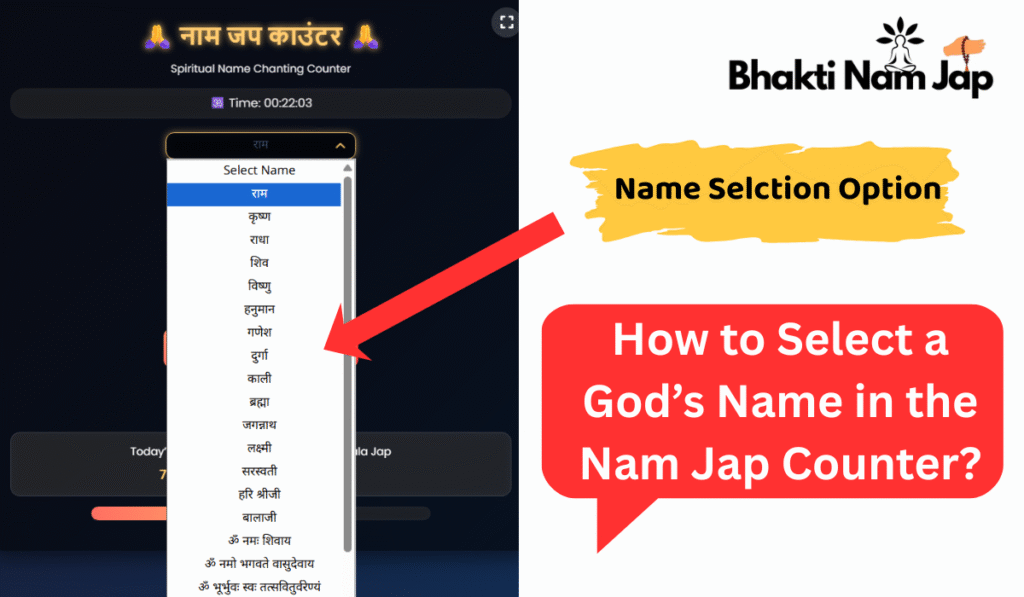
- राम
- कृष्ण
- राधा
- शिव
- विष्णु
- हनुमान
- गणेश
- दुर्गा
- काली
- ब्रह्मा
- जगन्नाथ
- लक्ष्मी
- सरस्वती
- हरि श्रीजी
- बालाजी
- ॐ नमः शिवाय
- ॐ नमो भगवते वासुदेवाय
- ॐ भूर्भुवः स्वः तत्सवितुर्वरेण्यं
- ॐ नमः नारायणाय
- ॐ श्री राम जय राम जय जय राम
- CUSTOM NAME
And at last, CUSTOM NAME. You can choose any name from these, or you can tap on the custom name option and type any god’s name to do jap using our Bhakti Nam Jap Counter.
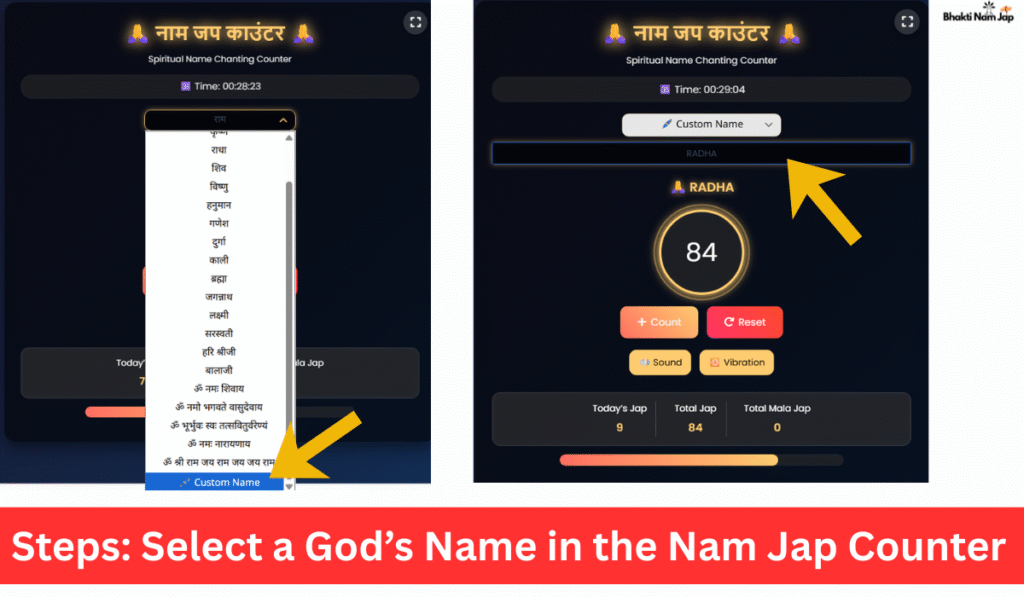
In this way, you can select any bhagwan’s name from multiple god names using our Nam Jap Counter tool and do their jap.
Connect on Social Media
For updates, tips, and inspiration, follow us: @bhaktinamjap on Instagram.
Using the Bhakti Nam Jap Counter daily will help you maintain consistency in your spiritual practice and deepen your devotion. Start your journey today!